


Two Approaches for Professional Telephony and Customer Contact in Microsoft Teams
Microsoft Teams has become the communication platform for many organizations. With calling, queues, and auto attendants, Teams is quite suitable for customer contact. But as volumes increase and expectations rise, the question arises: how do you make this professional, manageable, and future-proof?
In practice, we see two commonly used solutions that each have a different approach: Microsoft Teams Premium and Clobba. They overlap somewhat but are primarily complementary. In this article, we explain how they relate to each other — and when each choice makes sense.
The strength of Teams Premium lies mainly in the front end: how employees and customers experience Teams.
Advantages of Teams Premium
Limitations of Teams Premium
In short: Teams Premium makes Teams more appealing and smarter, but not necessarily more insightful.
Clobba is a specialized reporting and analysis solution for Microsoft Teams (and other UC platforms). It does not focus on the user interface but on what happens under the hood.
Clobba is especially strong in the back end: measuring, comparing, and improving.
Limitations of Clobba
In short: Clobba makes Teams measurable and manageable, but changes nothing about its appearance or feel.
In practice, we see two commonly used solutions that each have a different approach: Microsoft Teams Premium and Clobba. They overlap somewhat but are primarily complementary. In this article, we explain how they relate to each other — and when each choice makes sense.
Approach 1: Teams Premium – Focus on Experience and Functionality
Microsoft Teams Premium is an add-on license that extends Teams with extra possibilities for meetings, appointments, and telephony.
What does Teams Premium add?
- Enhanced call queue and waiting experiences
- More professional customer experience (waiting rooms, branding, notifications)
- Extra security and management options
- AI support (summaries, smarter interactions)
- AI support (summaries, smarter interactions)
The strength of Teams Premium lies mainly in the front end: how employees and customers experience Teams.
Advantages of Teams Premium
✅ Seamlessly integrated into Microsoft Teams
✅ Easy to activate (per user)
✅ Improves the professional appearance of customer contact
✅ Interesting for organizations that use Teams more broadly than just for calling
Limitations of Teams Premium
❌ Limited reporting and historical insights
❌ Little control over performance, trends, and capacity issues
❌ Costs increase with larger numbers of users
❌ Not designed as a contact center or management solution
In short: Teams Premium makes Teams more appealing and smarter, but not necessarily more insightful.
Approach 2: Clobba – Focus on Insight, Control, and Optimization
Clobba is a specialized reporting and analysis solution for Microsoft Teams (and other UC platforms). It does not focus on the user interface but on what happens under the hood.
What does Clobba do?
- Extensive reports for call queues and agents
- Historical analyses of call volumes, handling, and trends
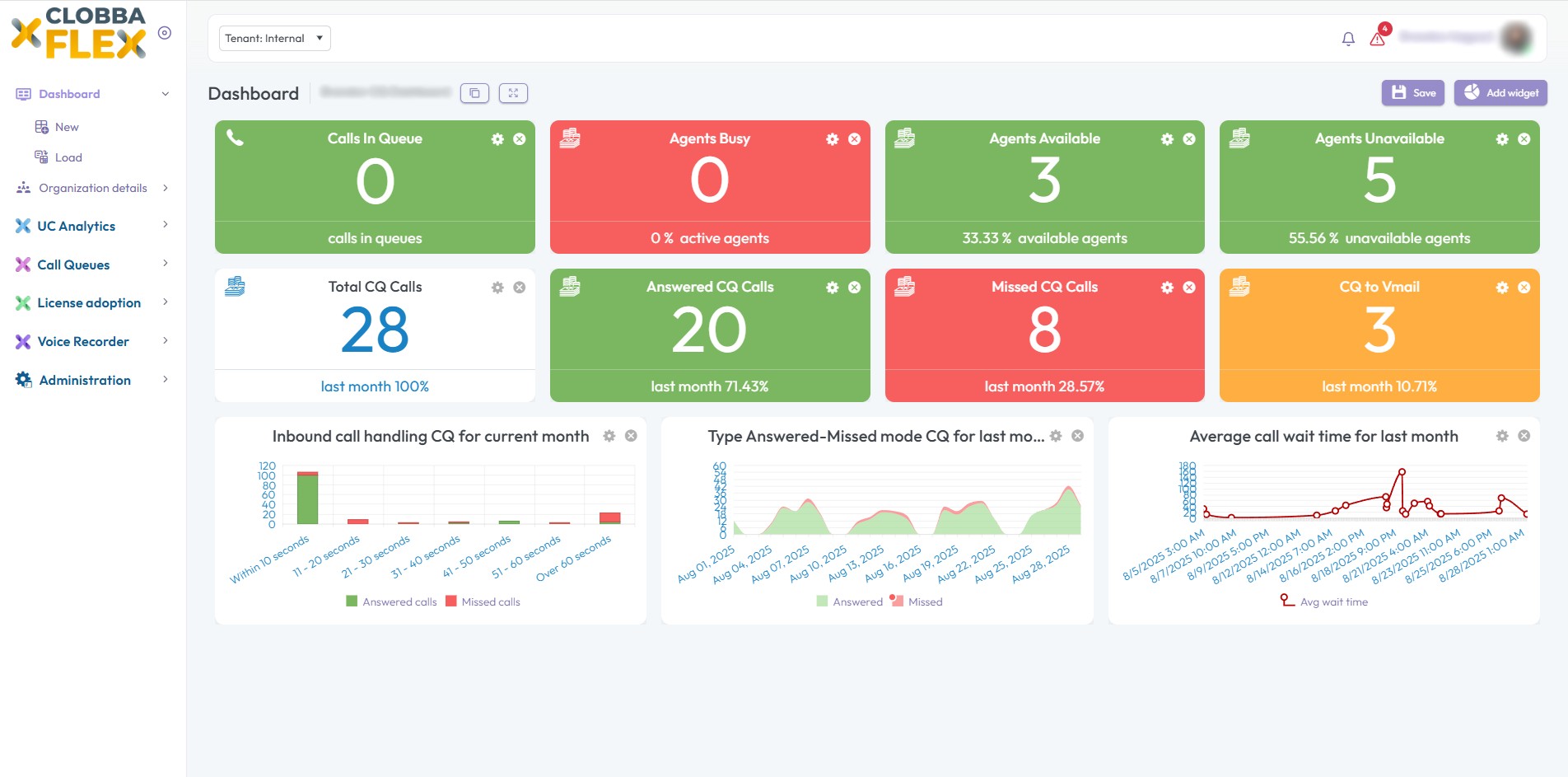
- Real-time dashboards and wallboards
- Insight into adoption, performance, and capacity
- Modularly expandable (e.g., recording, queue management)
Clobba is especially strong in the back end: measuring, comparing, and improving.
Advantages of Clobba
✅ Deep insight into performance and customer contact
✅ Suitable for service and contact center environments
✅ Priced per tenant/module, not per user
✅ Supports data-driven decision making
Limitations of Clobba
❌ No improvement of the visual or functional Teams experience
❌ Additional solution alongside Microsoft 365
❌ More aimed at administrators and management than end users
In short: Clobba makes Teams measurable and manageable, but changes nothing about its appearance or feel.
Which Solution Fits Your Organization?
It depends on where you stand now:
- Do you primarily need professionalism and appearance? → consider Teams Premium
- Do you want to manage with KPIs, capacity, and performance? → then Clobba is more logical
- Are you moving towards a full-fledged customer contact model? → then the combination is often the strongest
At 365 Angels, we help organizations make these choices people-centric and strategic — not based on licenses, but on goals.